
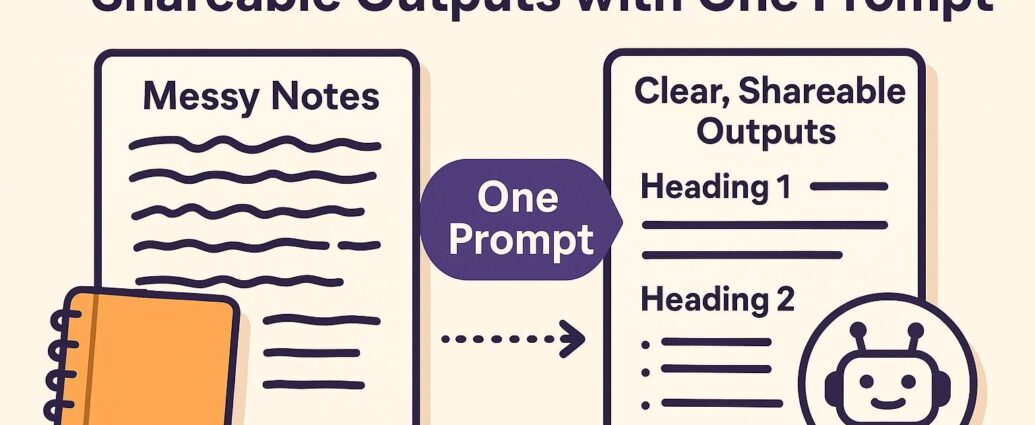
Google Docs has become a familiar study tool, but the addition of AI-assisted writing features changes how students can use it. Instead of treating a document as a blank page you fill manually, you can use it to summarize material, organize rough notes, simplify explanations, and build a more useful revision system.
That does not mean AI should do your learning for you. The best use of Google Docs AI is as a drafting and organizing assistant. It helps you save time on formatting and structure so you can spend more attention on understanding the material.
For a wider revision workflow, use our guide to generative AI for board exam preparation. To compare options beyond Google Docs, explore free AI tools for students.
Quick answer
If you want to use Google Docs AI for study notes, the simplest workflow is:
- Collect the lecture notes, textbook points, or rough ideas you want to study.
- Paste them into a working document.
- Ask the AI feature to summarize, restructure, or simplify the material.
- Review the draft carefully and correct anything vague or inaccurate.
- Turn the final notes into short revision prompts, flashcards, or question sets.
Used this way, AI speeds up note organization without replacing active learning.
What Google Docs AI is good at
Students usually waste time on three note-taking problems: messy input, weak structure, and slow rewriting. AI features in Google Docs help most when one of those problems is getting in the way.
- Messy input: turning rough class notes into clearer sections
- Weak structure: grouping related ideas under better headings
- Slow rewriting: converting dense material into simpler language
This is especially useful when you already understand the topic but need a faster way to prepare revision-ready notes.
What it is not good at
Google Docs AI is not a substitute for judgment. It can flatten nuance, miss subject-specific terminology, or present something polished that still needs correction. That matters most in science, math, law, and other detail-heavy subjects.
A good rule is simple: let AI help you organize and draft, but do not let it become your final source of truth.
A practical note-making workflow
1. Start with one topic at a time
AI performs better when you give it a focused block of material. Instead of pasting an entire chapter, begin with one lesson, one concept, or one exam theme.
2. Clean the raw material first
Remove obvious duplicates, broken formatting, or irrelevant lines. Even a short cleanup step makes the AI output far easier to work with.
3. Ask for a specific output
Vague prompts create vague notes. A better instruction is something like:
- Summarize this into short study notes with headings and bullet points.
- Explain this topic in simple language for a Class 10 student.
- Turn this into revision notes with definitions, examples, and key takeaways.
4. Add your own understanding
Once the notes are structured, add examples, teacher explanations, or memory hooks that make sense to you. This is where the notes become useful instead of generic.
5. Convert notes into revision tools
After the document is clean, use the same material to generate questions, quick summaries, or flashcard-style prompts. That second step often matters more than the first because it turns passive notes into active revision material.
Example use case
Imagine you have two pages of rushed biology notes plus a textbook paragraph. Instead of rewriting everything manually, you can combine the material into one document and ask for:
- a short definition section
- a step-by-step explanation
- three examples
- five likely exam questions
That does not remove the need to study. It reduces the time spent reorganizing information so you can get to the actual revision work faster.
When students get the best results
Students usually get the best results from AI note tools when they already have some rough input to work with. If you paste nothing but a heading and ask the AI to build the whole topic from scratch, the notes may look clean but feel generic. If you bring real class material, the output becomes much more useful.
Common mistakes to avoid
- Copying output without checking it: polished wording can still hide errors.
- Using prompts that are too broad: the result becomes bloated and repetitive.
- Letting AI replace recall practice: good notes help, but they are not the same as learning.
- Ignoring teacher language: your exam may expect terms or framing used in class.
How to make the notes more exam-ready
Once the document is structured, ask a second set of practical questions:
- What are the three most important definitions here?
- Which points are most likely to appear in a short-answer exam?
- Can this be rewritten as a one-minute revision sheet?
- What are the common mistakes students make on this topic?
Those follow-up prompts usually produce better study material than a single one-shot summary.
Should you use Google Docs AI or a separate study app?
For many students, Google Docs is enough because it already fits into their daily workflow. If you mostly need summarizing, restructuring, and easier drafting, staying in one document is often more efficient than switching between multiple apps.
Specialized study apps may still help if you want deeper flashcard systems, spaced repetition, or quiz-heavy workflows. But for simple note creation, Google Docs has the advantage of being familiar, flexible, and fast.
Final takeaway
The best reason to use Google Docs AI for study notes is not that it makes studying effortless. It is that it reduces friction. It helps you turn rough material into cleaner notes faster, which leaves more energy for actual revision, recall, and understanding.
Students who use it well treat it as an assistant for structure and speed. They still review, verify, and personalize the final notes. That balance is what makes the tool genuinely useful.
FAQ
Can Google Docs AI make study notes automatically?
It can help organize and summarize material quickly, but you still need to review the output and make sure it reflects what you actually need to learn.
Is Google Docs AI good for exam preparation?
Yes, especially for turning rough notes into cleaner revision sheets, summaries, and question prompts.
Should students trust AI-generated notes completely?
No. AI-generated notes should always be checked for clarity, accuracy, and relevance to your course or exam.
What is the biggest benefit of using AI for study notes?
The biggest benefit is saving time on structure and formatting so you can focus more on understanding and recall.