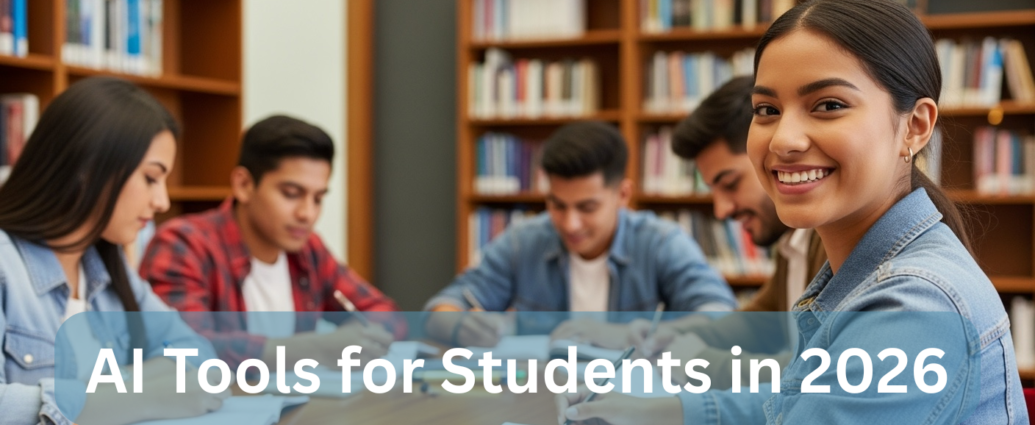
The academic world in 2026 has completely transformed. Students no longer rely solely on textbooks, libraries, or manual note-taking. Today, Artificial Intelligence (AI) acts as a personal tutor, research assistant, editor, and productivity coach – all in one.
However, with hundreds of tools available, students often face a new problem: too many choices and expensive subscriptions.
At Technoparadox, we tested and curated the best free AI tools for students in 2026 that actually deliver results – without breaking your budget.
Whether you’re writing assignments, preparing for exams, coding projects, or managing your time, these tools will help you study smarter, not harder.
What Are AI Tools for Students?
AI tools for students are software applications powered by artificial intelligence that help with:
- Writing and editing assignments
- Research and summarization
- Coding and debugging
- Note-taking and organization
- Productivity and time management
These tools save time, improve accuracy, and enhance learning efficiency – making them essential for modern education.
1. ChatGPT & Gemini (Free AI Assistants)
Best for: Brainstorming, learning concepts, coding help
The most powerful and widely used AI tools today are ChatGPT and Google Gemini. Their free versions are incredibly capable and perfect for students.
How to Use Effectively
- Feynman Technique:
Ask: “Explain this topic like I’m 10 years old”
Simplifies complex subjects instantly - Self-Testing (Socratic Learning):
Ask: “Quiz me on World War II”
Improves retention - Coding Help:
Paste errors ? get instant fixes
These tools act like a 24/7 personal tutor
2. Perplexity AI (AI-Powered Search Engine)
Best for: Research with sources
Unlike traditional search engines, Perplexity AI gives direct answers with citations.
Why It’s Better Than Google
- Provides summarized answers
- Includes real sources and references
- Saves hours of research time
Student Use Case
Example prompt:
“Effects of social media on mental health”
You’ll get:
- summarized explanation
- credible sources
- ready-to-use references
This is useful for assignments and research papers.
3. Notion AI (All-in-One Study Workspace)
Best for: Notes, organization, productivity
Notion is more than a note-taking app – it’s a complete student workspace.
Key Features
- Auto-summarize lecture notes
- Convert messy notes into structured content
- Extract action items from group projects
This can help you manage notes, tasks, and projects in one place.
4. Otter.ai (Lecture Transcription Tool)
Best for: Recording and revising lectures
Otter.ai converts speech into text in real time.
Why Students Love It
- Records lectures automatically
- Identifies speakers
- Searchable transcripts
You can search for keywords like:
- “Important”
- “Exam topic”
And jump directly to that part
It works like a searchable archive for your lectures.
5. Canva Magic Studio (AI Design Tool)
Best for: Presentations and visual content
Modern assignments require visual storytelling, and Canva makes it easy.
Powerful Features
- AI-generated presentations
- Automatic slide design
- Image generation
Example
Example prompt:
“Create a presentation on the solar system”
Canva can generate a draft deck quickly.
It is beginner-friendly even if you do not have design experience.
6. AI Research Tools for Academic Search
Best for: Accessing academic papers
Some research tools can help students discover papers, summaries, and open-access material more efficiently:
- research papers
- journal articles
- open-access resources
Availability and access may depend on region, publisher restrictions, and institutional access.
Always use legal, ethical, and properly licensed sources whenever possible.
7. Grammarly (Free Writing Assistant)
Best for: Grammar, clarity, tone
Even in 2026, Grammarly remains essential.
Why It Matters
- Fixes grammar mistakes
- Improves sentence clarity
- Enhances writing tone
Important tip:
Do not rely fully on AI-generated writing. Use editing tools to refine your own voice and check clarity.
Comparison Table of Best AI Tools for Students
| Tool | Best For | Free Plan | Key Benefit |
|---|---|---|---|
| ChatGPT / Gemini | Learning & coding | Yes | Personal AI tutor |
| Perplexity AI | Research | Yes | Cited answers |
| Notion AI | Notes & productivity | Partial | Organized workflow |
| Otter.ai | Lecture recording | Yes | Searchable transcripts |
| Canva AI | Presentations | Yes | Design automation |
| Grammarly | Writing | Yes | Error-free content |
How to Choose the Right AI Tool
Here’s a simple guide:
- For studying: ChatGPT or Gemini
- For research: Perplexity AI
- For notes: Notion AI
- For lectures: Otter.ai
- For presentations: Canva
- For writing: Grammarly
Using a combination of tools is often more effective than relying on just one.
The Future of AI in Education
AI is not replacing students – it is enhancing learning.
But universities are also using:
- AI detection tools
- plagiarism checks
The key idea is simple:
Use AI as support, not as a complete replacement for your own learning.
Conclusion: Study Smarter with AI
The rise of AI tools has completely changed how students learn in 2026. From writing assignments to managing time and understanding complex subjects, these tools provide a massive advantage.
By using the best free AI tools for students, you can:
- save time
- improve learning
- increase productivity
Students benefit most when they use AI thoughtfully and ethically.
Pro Tip
Bookmark this list and start using at least 2-3 tools daily – you’ll notice the difference immediately.
Related reading and references
For broader reference, these external resources add useful background and practical guidance: